

Colour system
A colour system is a method to reproduce colours. Regardless of which method you use, the goal is to present the viewer with as accurate colours as possible. Grass should be green, the sky blue and an orange should, in most cases, be orange. Let's have a look at RGB and CMYK and how they are different from each other.
What is RGB?
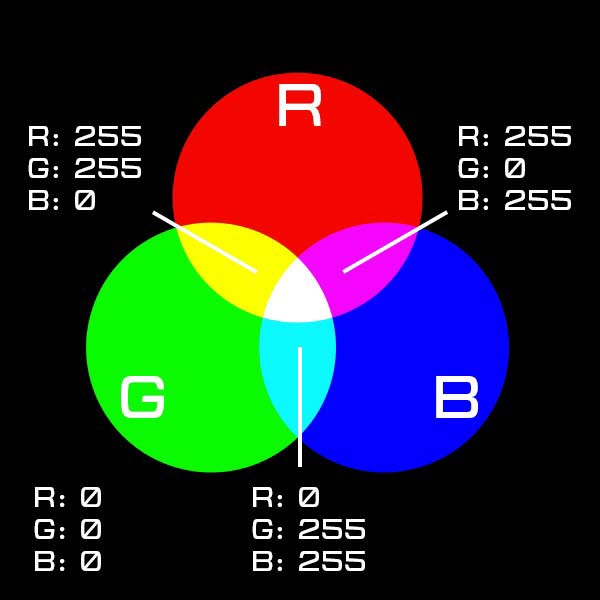
RGB is a colour system based on the colours that your eyes can pick up. RGB stands for Red, Green and Blue, each colour is referred to as a channel. Each channel has a value scale ranging from 0 to 255. A higher number means that more light of a certain channel is added, a lower value means less light and a darker colour. This is called an additive colour model. When creating something on a computer, the screen will show you the colours in RGB. There are different versions of RGB, called profiles, but for now we will just call it RGB.
What is CMYK?
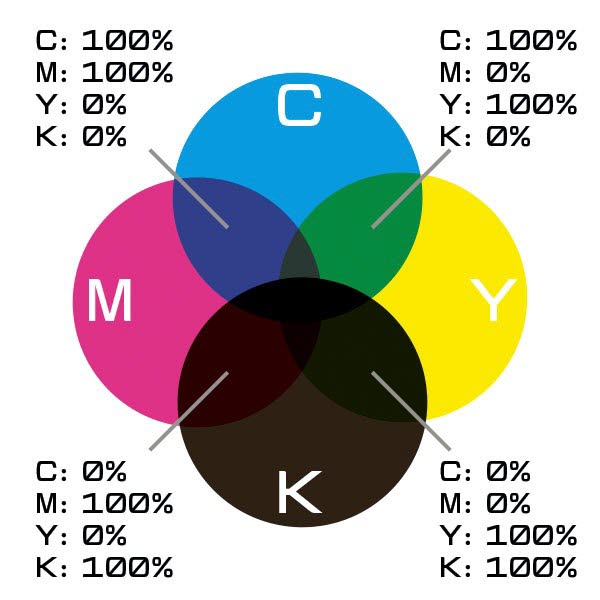
When you print something in colour it is most likely printed with very small dots in four different colours: cyan, magenta, yellow and black. This is called CMYK, it is a bit confusing, because the letters are of course Cyan, Magenta and Yellow, but the K stands for Key. Every channel is measured from 0% to 100% and you add colour, not light, so a higher percentage instead translates to a darker shade. This is called a subtractive colour model.
More than one CMYK profile
When applying ink to a paper the results will differ depending on which paper and printing method is used. Imagine that you paint yellow watercolour on grey paper and compare it to a yellow crayon on white paper. That’s why there are several profiles of CMYK. A profile contains information on how the ink will behave on the paper and makes it possible to calculate the correct mix of CMYK to reach the best result for your choice of paper.
RGB to CMYK
This is where it gets interesting, because with CMYK you can only achieve a small range of the colours that RGB will allow you to work with. The available range of nuances that can be printed is called gamut. Every photo that you take must, sooner or later, be converted from one colour space to another to be printed.
Limited conversions
If you want to print the blue from RGB in CMYK, the computer will look at the original colour and try to come as close as possible to that colour, within the CMYK colour space. This is like translating a poem to another language, with rhymes and rhythm, without the essence being lost. And yes – it can be done! But as in this example of converting the red, green and blue colour it is obvious that there are limitations.
Comparisons
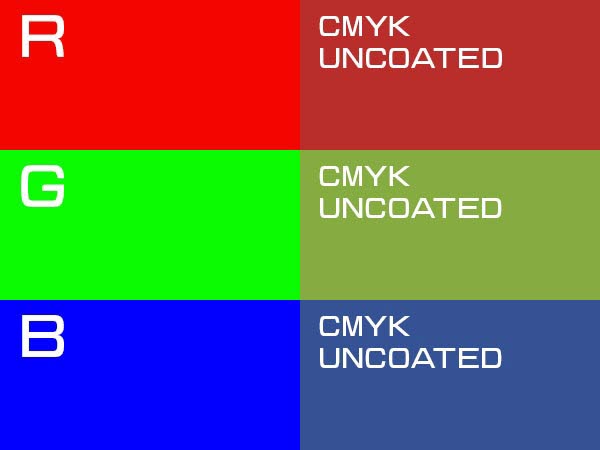
This is a comparison, in RGB, of how Red, Green and Blue would look like if printed on uncoated paper with offset printing. When a colour is converted from RGB to CMYK it is adopted to a much smaller colour space, meaning that the available nuances will be limited. In one way or another this will affect the image that you want to print. Let’s have a closer look at what will happen.
Putting it to the test
This is a picture of a Ford Edsel in Seligman, a little town along Route 66. The image is in RGB and has some colourful details.

Now what would happen if we were to print it in CMYK?
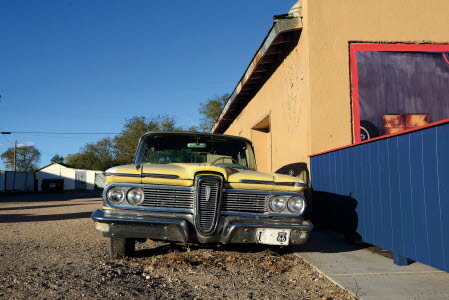
Here is the same image but it has been converted to show what will happen if you print it with CMYK on an uncoated paper. Still the same car and it looks pretty much the same, and you would probably not look at it and wonder why the sky isn’t blue enough.
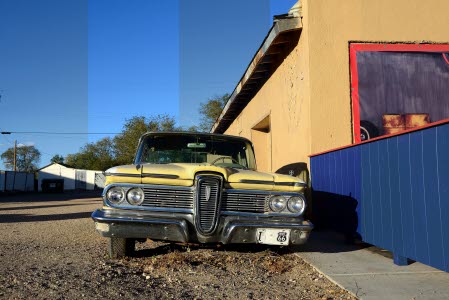
It isn’t until you put them next to each other that the differences are obvious. Here we have made a mix with sections of RGB and CMYK to make comparison easier. If you look at the blue sky and the fence you will find that those areas have been affected most in the conversion. The original colours can't be printed in CMYK and therefore they have been converted to the closest alternative.